Recent Links
Find a page you visited without having to save it first. Recent combines pages recorded while SupaSidebar is running with imported browser history from the last 30 days.
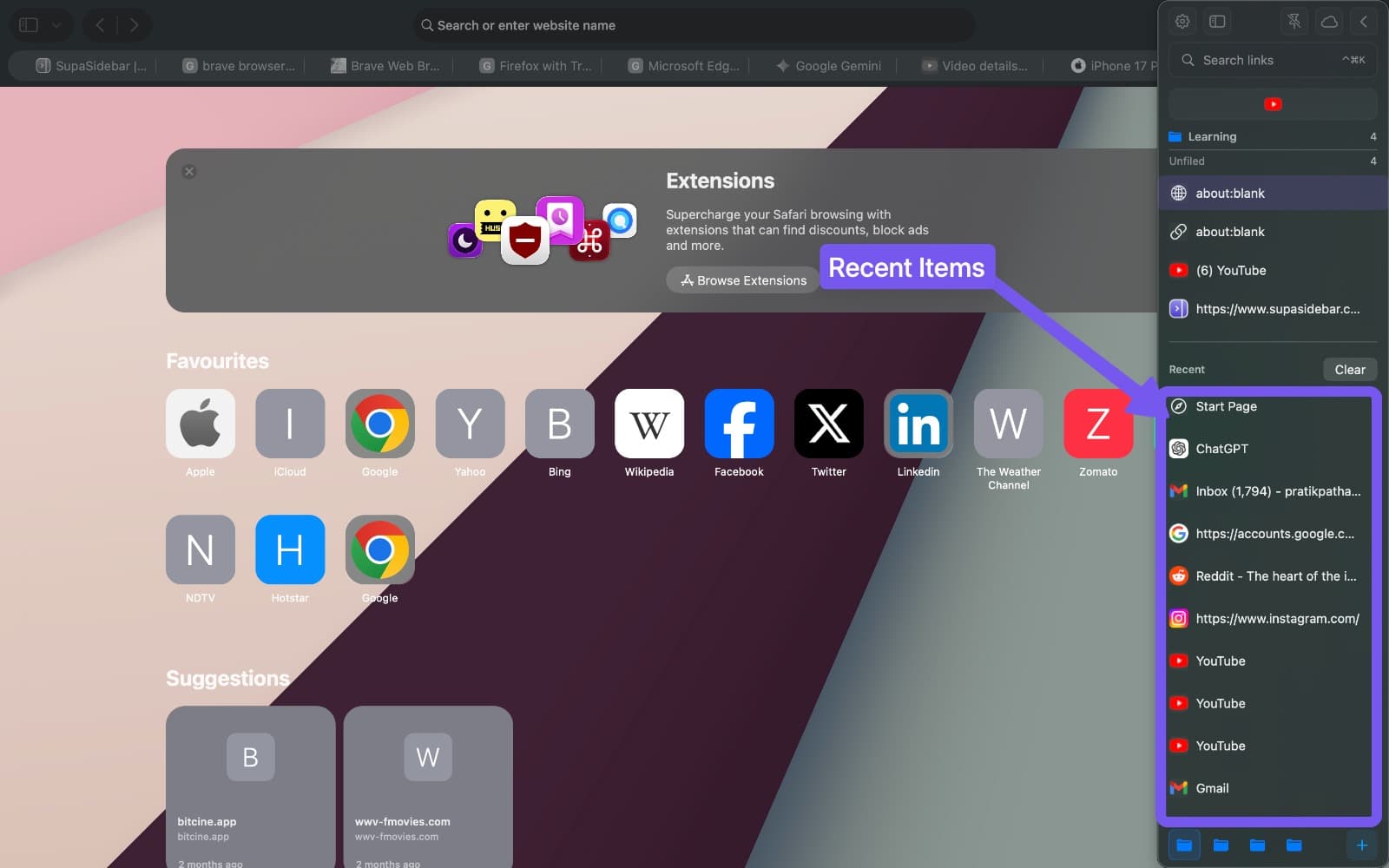
Search browser history
- Open the Command Panel with
Cmd Ctrl K. - Choose Recent to browse visits, or type a page title or website name to search.
- Select a result and press
Returnto open it.
Imported history includes eligible visits made while SupaSidebar was closed. Results use the actual visit time, not the time they were imported. In Recent searches, clear matches appear first and newer visits come before older visits within that group.
Recent pages are available in every Space. Imported history is stored locally on your Mac and is not added to your iCloud saved-link library.
Supported history imports
History imports are available for Chrome, Brave, Edge, Vivaldi, Arc, Firefox, Zen, Atlas, Comet, Helium, Firefox Developer Edition, and Orion.
Other supported browsers can still contribute activity recorded while SupaSidebar is running. Safari and DuckDuckGo history imports are not available in this version. History support is separate from Live Tabs support.
Open Preferences → Privacy & Browsers and use the History checkbox beside each browser to control imports. A dash means history importing is not supported. An access error or an empty browser profile does not change your saved choice.
Display settings
Open Preferences → Browser Activity to choose Recents, Live Tabs, or None, and set the number of Recent links shown in the sidebar.
The Recent header switches between compact and detailed views. Compact shows the favicon and title on one line; detailed adds the URL. This choice is remembered separately from the Live Tabs view.
Save or remove a recent page
Use the star button beside a Recent page to save it to your sidebar. Removing a page from Recent removes its recent entry and hides older imported visits for that page. It does not delete a saved copy from Unfiled or a folder. A newer visit can appear again.
Pause or clear activity
Open Preferences → Privacy & Browsers to pause recording for one browser, turn on Incognito Mode for all browsers, or clear activity from a browser’s ••• menu.
Turning collection off keeps existing records. Clear imported history… removes only imported visits; Clear history & unsaved Recents… also removes unsaved Recent pages attributed to that browser. Saved links and your browser’s own history remain unchanged.
See Privacy & Browsers for the differences between pausing, blocking, and clearing.
Missing or out-of-date history
Open Preferences → Privacy & Browsers → Stored Activity and choose Refresh. If history still needs repair, Reset & rebuild history recovers eligible visits from the last 30 days. Cleared visits and visits made during Private Mode stay excluded.
Imports depend on access to the browser’s history files. Check the browser’s status in Privacy & Browsers if no history appears. For browser integration permissions, see Permissions.
Recent Links vs Live Tabs
| Mode | Shows | After a tab closes |
|---|---|---|
| Recent Links | Eligible visits from the last 30 days | The visit remains until it expires or you clear it |
| Live Tabs | Currently open tabs | The tab disappears from the list |