Sidebar Panel
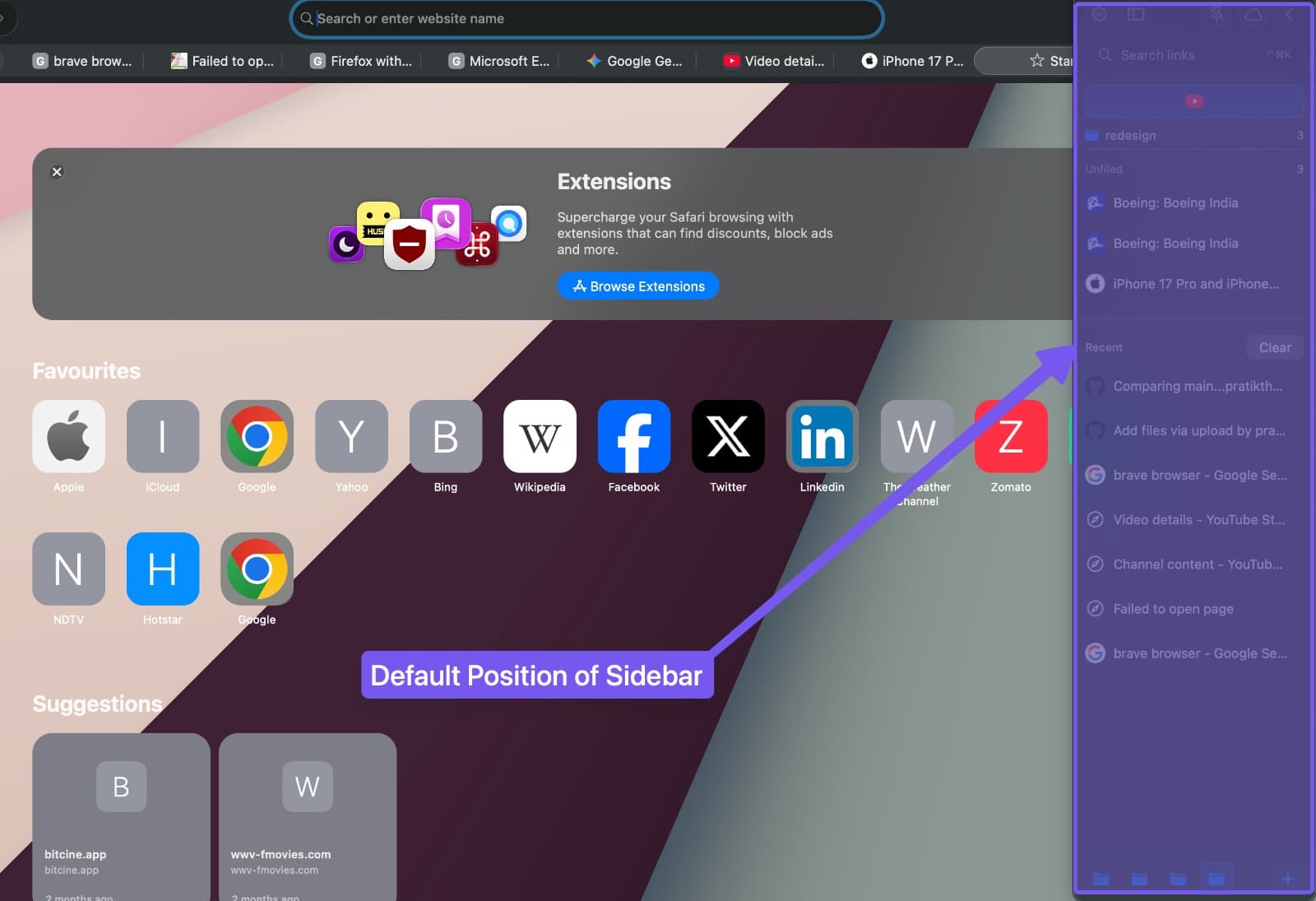
The SupaSidebar panel is a floating sidebar for macOS that provides instant access to your saved links, files, and folders from any application.
Keep sections organized
Sidebar sections remember whether you expanded or collapsed them after you relaunch SupaSidebar. Compact Mode keeps collapsed section labels and item counts readable, so you can see what is tucked away before opening a section.
Features
- Multi-Screen Support - Automatically appears on your active display
- Left or Right Positioning - Toggle sides instantly with
Cmd Ctrl L - Auto-hide - Optionally hides when clicking outside the panel
- Drag-to-Resize - Drag the inner edge of the sidebar to adjust its width
- Pin to Spaces - Follow across all macOS desktop spaces or stay on one
- Slide Animation - Smoothly slides in and out when opening or closing. The animation direction is context-aware based on the sidebar’s screen position
- Noise Texture - A subtle texture overlay for a more tactile feel (10% opacity by default, configurable in Appearance)
- Custom Colors - Pick any color for an individual link or folder so it stands out. Available from the right-click menu under Color, and applied in both the full sidebar and compact mode.
Select multiple items
In the expanded sidebar, right-click a saved link, Recent item, or Live Tab and choose Select. You can also choose Selection Mode from the sidebar’s ••• menu, or enter selection with Shift Click or Cmd Shift Click.
Once selection mode is on, click items to add or remove them without opening them. Right-click a folder and choose Select All Links to include its contents and subfolders. Smart Folders offer the same action for their matching links.
The selection bar shows the selected count. Its Actions menu includes Copy URLs, New Folder from Selection, and Select All Visible Items. Click Done, press Escape, or choose Deselect All and Exit to return to normal browsing.
Cmd Click and Opt Click keep their existing opening actions; use the selection controls above to select items.
Quick settings menu
The ••• menu in the sidebar top bar provides quick access to common sidebar settings without opening full Preferences. It also includes a Keyboard Shortcuts item that shows your configured shortcuts, and a Quit option to close SupaSidebar.
Settings
Configure the sidebar panel in Preferences. Sidebar preferences use a split-panel layout with use case presets on the left and individual settings on the right. Settings have clear descriptions to help you understand what each option does.
Appearance
Found in Preferences - Appearance.
- Theme - Choose System, Light, or Dark. System follows your macOS appearance. The choice applies across the sidebar, command panel, web preview, notifications, tooltips, and floating button. You can also switch it from the macOS menu bar under SupaSidebar - Appearance, or by typing “dark”, “light”, “theme”, or “appearance” in the Command Panel.
- Text size - Slider that scales sidebar text from 85% to 150%. Applied live across the app, including the command panel and notes.
- Width - Drag the sidebar inner edge to resize
- Opacity on focus change - Dim sidebar when not focused
- Glass theme - Enable translucent background
- Noise texture - Adjust the overlay texture intensity (0-100%)
- Show item counts - Display count badges on folders
- Arrow indicator - Show expand/collapse arrows on folders
Behavior
Found in Preferences → Sidebar. The browser controls below are in the Browser Integration section.
-
Auto-hide on deactivate - Hide sidebar when clicking outside
-
Default side - Choose left or right screen edge
-
Auto show with browser - Show sidebar when browser is active. See Auto-show on browser focus below and Live Tabs
-
Adaptive height - Adjust sidebar height based on content
-
Auto-Switch Side on Clipped Browser - Flips the sidebar to the opposite side when your preferred side would be cut off by an adjacent monitor. Off by default.
-
Bring Browser to Front - When on, opening the sidebar also brings your browser forward. Turn off to keep your current app frontmost when the sidebar opens.
-
When Sidebar Opens - Choose what happens to your browser window the moment the sidebar appears:
- Off - disable automatic tiling and maximizing when the sidebar opens. Prevent Browser Overlap is a separate setting.
- Auto-Tile Browser Windows (max 4) - arrange 2-4 eligible browser windows alongside the sidebar.
- Maximize Browser Window - resize the frontmost browser to fill the space beside the sidebar. See Fill Screen. Works with both Smart Attach and Independent integration.
-
Prevent Browser Overlap - a separate toggle that pushes browser windows aside so the sidebar doesn’t cover them.
-
When Sidebar Hides - Choose what happens to your browser window when the sidebar goes away:
- Expand Browser to Fill Screen - the front browser expands to fill the screen. Tiled windows re-tile across the entire screen width.
- Restore Browser Position - browser windows return to their size and position from before the sidebar was opened.
- Leave Browser As-Is - the browser stays where the show behavior left it.
Firefox and Zen users: the resize options shape browser windows. Firefox and Zen accept resizes in small steps via the macOS accessibility API, so the window will visibly settle into its target size over about a second instead of snapping. This is a Gecko engine limitation, not a SupaSidebar bug. See Browser Integration for details.

Compact mode
Compact Mode collapses the sidebar to a narrow 60px icon strip, so it takes up almost no screen width. Most laptop users run SupaSidebar this way. Your Spaces, folders, and saved links stay one click away behind their icons. You lose the text labels and the wider column until you expand back out.
Turning Compact Mode on and off
- Keyboard shortcuts -
Cmd [collapses the full sidebar into Compact Mode, andCmd ]expands Compact Mode back to the full sidebar. These are two separate shortcuts, not one toggle:Cmd [only works while the full sidebar is focused, andCmd ]only works while the sidebar is already in Compact Mode. - Preferences toggle - Open Preferences → Sidebar and switch on Compact Mode to collapse the sidebar without touching the keyboard. Switch it off on the same screen to expand back out.
What still works in Compact Mode
- Folder Browser - Hovering or clicking a folder still opens the full Finder-style column popover. See Folder Browser.
- Command Panel - The top bar keeps a magnifying-glass button that opens the Command Panel with one click, so you don’t need the keyboard shortcut.
- Live Tabs right-click actions - Every action, including Activate Tab, Open With, Move to Browser, and Save Tab, stays available on a compact live tab. See Live Tabs.
- Custom colors - A link or folder’s custom color still shows on its icon.
How do I make the sidebar take less space on a laptop?
Turn on Compact Mode. It shrinks the sidebar from the full multi-column panel down to a 60px icon strip, about the width of a single icon, so it stays out of your way on a 13 or 14 inch laptop screen. Switch it on with Cmd [, or flip the Compact Mode toggle in Preferences → Sidebar.
Auto-show on browser focus
Turn on Auto Show on Browser Focus in Preferences → Sidebar → Auto-Visibility to open the sidebar automatically whenever you switch to a browser. Switch away to a non-browser app and the sidebar can hide again on its own, depending on your When Leaving Browser setting.
This is the setting behind the sidebar popping up on its own when you open a browser. If you’d rather it stayed out of the way, see Stop the Sidebar From Auto-Appearing for how to turn it off or make it less frequent.
Closing and reopening browser windows
Closing the browser window attached to the sidebar hides the sidebar. A manually opened Smart Attach sidebar follows this rule even when Auto Show on Browser Focus is off. Closing that window does not transfer the sidebar to another remaining browser window.
When auto-show is enabled, reopening a browser window can show the sidebar again, including after closing Safari’s last window. If you manually hid the sidebar, reopen it yourself to resume auto-show. Browser privacy and fullscreen settings still apply.
Keyboard Shortcuts
Shortcuts specific to the sidebar panel. For all shortcuts, see Shortcuts.
| Shortcut | Action |
|---|---|
Cmd Shift Space | Show or hide sidebar |
Cmd Ctrl F | Bring sidebar to front |
Cmd Ctrl L | Switch between left and right |
Cmd Ctrl P | Pin or unpin from current space |
Cmd [ | Collapse into Compact Mode |
Cmd ] | Expand back to full sidebar |
Esc | Exit selection mode, or hide the sidebar when not selecting |
Notes
Add a note to any saved link to capture context, instructions, or anything else you want surfaced when you find the link later.
- From the sidebar - Click the Edit Note button that appears on a link row on hover, or right-click and choose Add note / Edit note.
- From the Command Panel - With a result selected, press
Opt Returnto open the actions panel, then Add note. - Save and dismiss -
Cmd Returnsaves,Escapecancels.
Notes are indexed by search. Typing a word that appears in a note surfaces the saved link, with the matching text highlighted in the result.
Tips
- Use the presets panel in Preferences - Sidebar for one-click configuration of sidebar behavior. Choose from Minimal, Bookmark Manager, Workspace Switcher, or Browser Companion.
- Set a custom color on a single link to flag your “currently working on” item without pinning it.
- The noise texture pairs well with the glass theme for a polished look.
- See Sidebar Access for all the ways to open the sidebar - floating button, mouse triggers, and more.