Keep the Sidebar on the Left or Right
Pin SupaSidebar to one side of the screen so it always appears where you expect. This takes two steps: set the default position, then make sure your mouse trigger edges match.
Both steps matter. The default position decides which side the sidebar opens on, and the mouse trigger zones decide which screen edge summons it. If they disagree, the sidebar can feel like it appears on the “wrong” side.
Step 1: Set the default side
- Open Preferences → Sidebar.
- Find Default Sidebar Position at the top of the Sidebar section.
- Choose Left or Right.
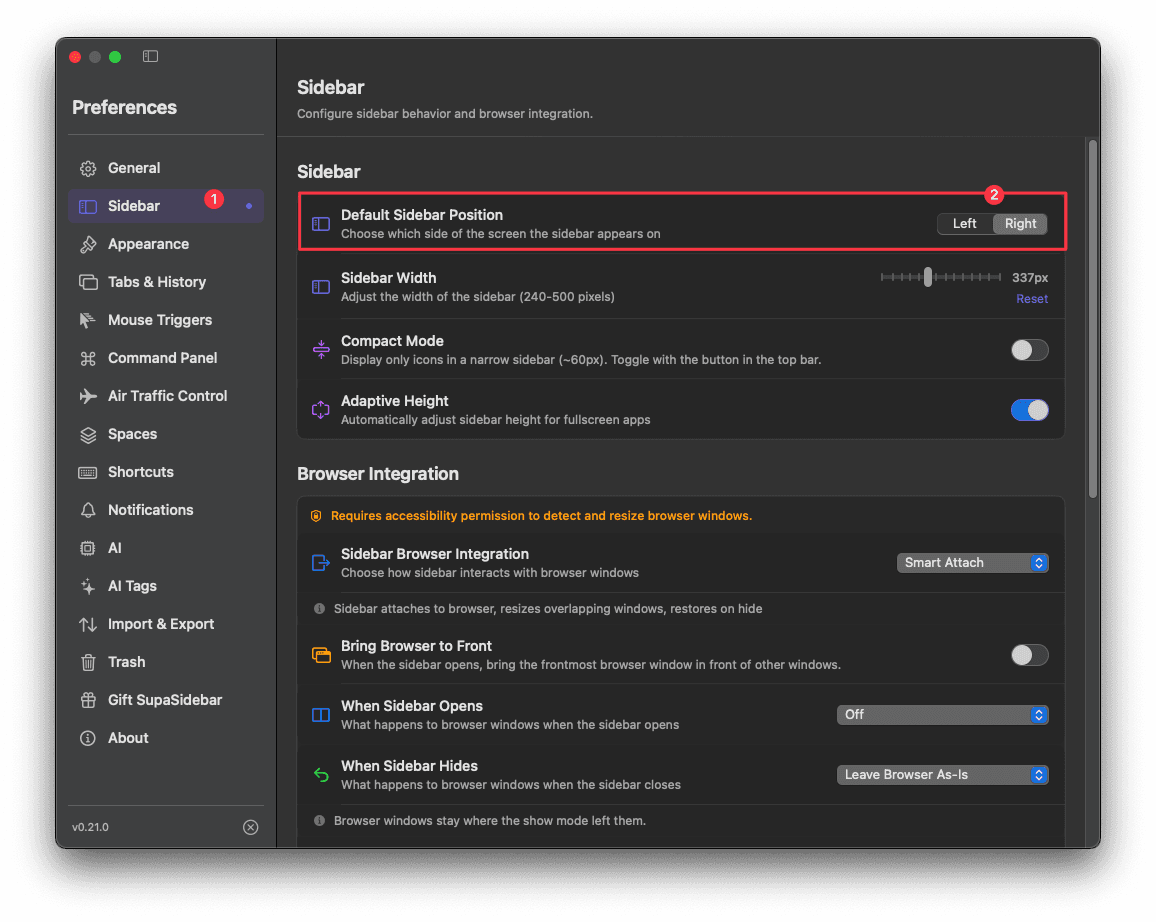
The sidebar now opens on that side every time, whether you open it with a shortcut, the floating button, or a mouse trigger.
You can flip sides at any time with
Cmd Ctrl L. This toggles the same Default Sidebar Position setting.
Step 2: Match your mouse trigger edges
If you use Mouse Triggers to reveal the sidebar by moving your cursor to a screen edge, turn off the edge you do not want. Otherwise moving your mouse to the opposite edge will still pull the sidebar to that side.
- Open Preferences → Mouse Triggers.
- In Active Zones, check only the edge that matches your default position:
- Sidebar on the left → enable Left Edge, uncheck Right Edge.
- Sidebar on the right → enable Right Edge, uncheck Left Edge.
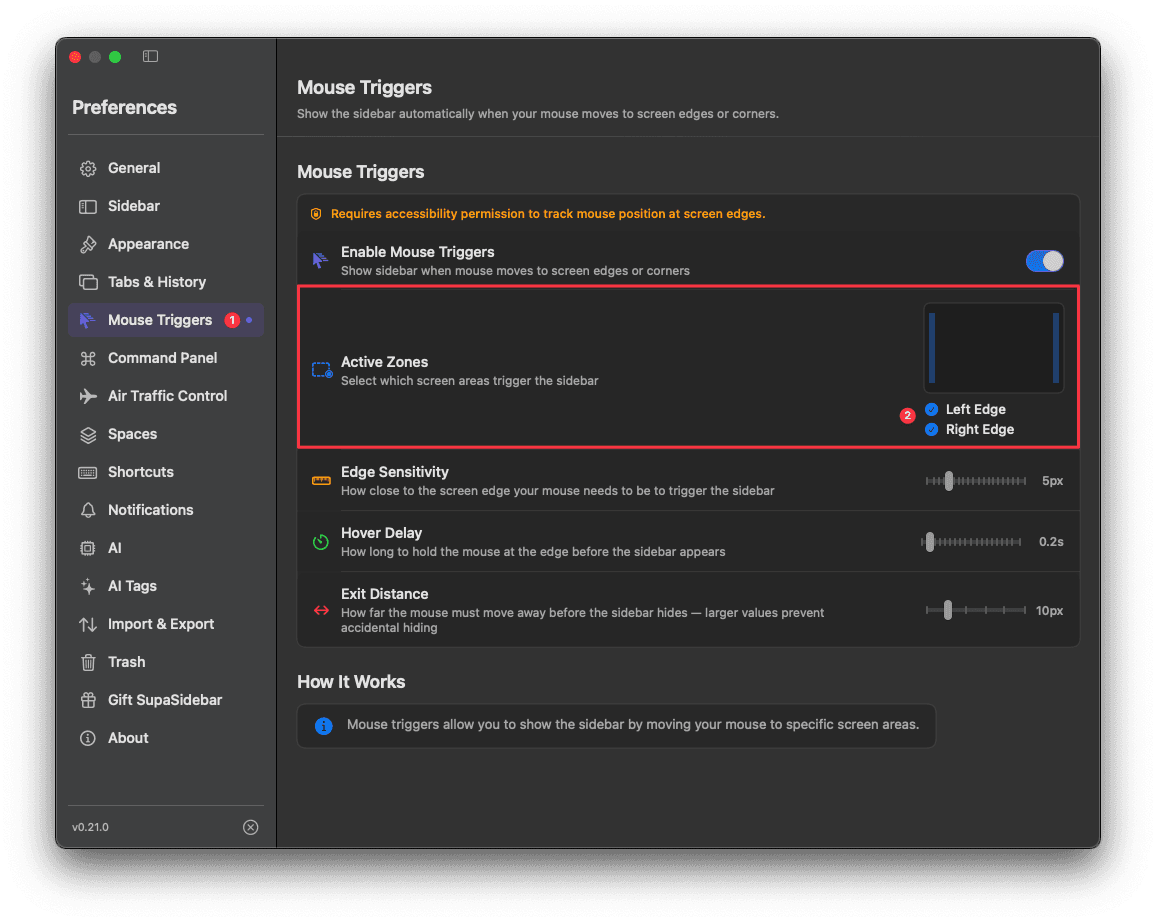
Leave both edges checked only if you want the sidebar to appear on whichever side your cursor reaches. With a single edge selected, the sidebar stays on your chosen side.
Troubleshooting
| Issue | Solution |
|---|---|
| Sidebar still opens on the wrong side | Recheck Default Sidebar Position in Preferences → Sidebar. It controls the open side for every trigger. |
| Sidebar appears on the opposite edge with the mouse | Uncheck the unwanted edge under Preferences → Mouse Triggers → Active Zones. |
| Position keeps flipping unexpectedly | You may be pressing Cmd Ctrl L. That shortcut toggles left and right. |
| Mouse triggers do nothing | Grant Accessibility permission and restart the app. |
Learn more
- Sidebar - all sidebar appearance and position settings
- Mouse Triggers - reveal the sidebar from a screen edge
- Sidebar Access - every way to open the sidebar